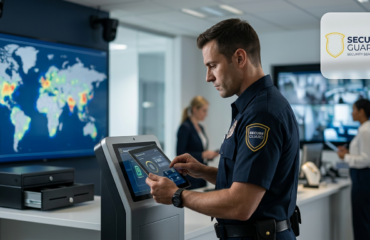
Security cameras can help property managers see what happened at a site. However, recording an incident and actively monitoring a property are two different security approaches.
Recording-only cameras typically save footage for later review. In contrast, professional security monitoring services can give trained operators the ability to review camera alerts, evaluate unusual activity, follow site-specific response procedures, and coordinate with field personnel when necessary.
That difference matters for warehouses, construction sites, apartment communities, parking facilities, office buildings, storage yards, and other properties that need more than stored video footage.
This guide explains how live security monitoring works, how it differs from recording-only surveillance, and when video monitoring should work alongside standing guards or mobile patrol.
What Are Security Monitoring Services?
Security monitoring services connect cameras or other approved detection tools with trained personnel who can review activity and follow established response procedures.
Depending on the property and system configuration, monitoring may support:
- Live camera review
- Motion or activity alerts
- Human and vehicle detection
- Perimeter monitoring
- Gate and entrance observation
- Parking-area monitoring
- Live audio warnings where equipment is configured
- Mobile patrol coordination
- Standing-guard coordination
- Approved law-enforcement notification
- Incident documentation
Most importantly, monitoring should operate according to procedures created for the individual property.
Recording-Only Cameras vs. Live Video Monitoring
Both systems use cameras, but they serve different purposes.
Recording-Only Cameras
Traditional surveillance cameras usually record video for later review.
They can help management:
- Review past activity
- Investigate incidents
- Identify when an event occurred
- Document property conditions
- Provide footage when appropriate
However, unless someone is actively reviewing the feed or an alert is sent for review, the system may not identify a developing incident while it is happening.
Live Security Monitoring
Live monitoring adds active review to the camera system.
When configured cameras or sensors generate an alert, trained personnel can review the event and determine what the site’s response procedure requires.
For example, the response may include:
- Continuing to observe the activity
- Issuing an approved audio warning
- Notifying dispatch
- Contacting an on-site officer
- Sending a mobile patrol unit
- Notifying an approved client contact
- Contacting law enforcement when appropriate
- Documenting the incident
Therefore, the main difference is not simply the camera. It is the active review and response process behind the camera.
1. Start With a Property Security Assessment
Before deciding how cameras should be monitored, first review the property.
A security assessment may consider:
- Property layout
- Operating hours
- Main entrances
- Vehicle gates
- Parking areas
- Loading docks
- Perimeter fencing
- Storage areas
- Equipment yards
- Existing cameras
- Previous incidents
- After-hours activity
From there, the monitoring plan can focus on the locations where additional visibility provides the most value.
For example, a warehouse may prioritize trailer yards and loading docks. Meanwhile, an apartment community may focus on gates, parking structures, and common areas.
2. Decide Which Areas Need Active Monitoring
Not every camera needs the same level of attention.
High-priority areas may include:
- Building entrances
- Vehicle gates
- Parking facilities
- Loading areas
- Property perimeters
- Storage yards
- Equipment areas
- Remote portions of a property
In addition, monitoring priorities may change by time of day.
A loading dock may be extremely active during business hours but become a higher security priority after operations close.
3. Configure Alerts Around Real Property Conditions
Modern monitoring systems can use camera analytics or detection rules to identify activity that may require review.
Depending on the equipment and configuration, alerts may involve:
- People entering a defined area
- Vehicles entering a monitored zone
- Movement after approved operating hours
- Perimeter-line crossings
- Activity around gates or restricted areas
However, an alert does not automatically mean a security incident is occurring.
For that reason, operator review is important. A trained person can examine the video and determine whether the activity appears normal or requires further action.
4. Operator Verification Helps Reduce Unnecessary Responses
Properties often experience normal movement from employees, residents, delivery drivers, animals, weather, landscaping, or passing vehicles.
Therefore, monitoring should distinguish routine activity from events that may require attention.
A typical verification process may include:
- A camera or sensor creates an alert.
- The alert reaches the monitoring team.
- An operator reviews the live camera feed.
- The operator evaluates what is happening.
- The site’s approved response procedure determines the next step.
As a result, security personnel can focus on verified activity rather than treating every camera alert as an emergency.
5. Audio Warnings Can Be Part of the Response
Some monitored properties include speakers that allow trained operators to issue live audio warnings.
For example, if an operator verifies unauthorized after-hours activity, the approved procedure may allow a warning that tells the person the property is being monitored and instructs them to leave.
However, audio intervention depends on the site’s equipment, client instructions, and response plan.
It should not be presented as a feature available at every monitored property unless the required equipment has been installed and configured.
6. Video Monitoring Can Work With Mobile Patrol
One of the strongest uses of live monitoring is coordination with field personnel.
For example:
- A monitored camera identifies activity.
- An operator reviews the event.
- The operator follows the client’s escalation procedure.
- Dispatch contacts a nearby mobile patrol officer when appropriate.
- The patrol officer checks the location.
- The event and response are documented.
This combines the visibility of cameras with the physical response of a security officer.
Learn more about mobile patrol security services.
7. Monitoring Can Also Support Standing Security Officers
An on-site officer cannot continuously watch every area of a large property.
For example, an officer may need to remain at the primary entrance while remote cameras monitor:
- Rear parking areas
- Loading docks
- Secondary gates
- Remote buildings
- Perimeter locations
If monitoring personnel identify unusual activity, they can communicate with the officer according to the site’s procedures.
As a result, camera monitoring can help extend the officer’s situational awareness beyond the fixed post.
Secure Guard also provides armed and unarmed security officers when a property needs continuous on-site coverage.
8. Law-Enforcement Notification Should Follow Clear Procedures
Some verified events may require law-enforcement assistance.
However, not every camera alert should result in a police call.
The monitoring plan should clearly explain:
- Which events require client notification
- Which events require mobile patrol
- Which events require an on-site officer
- When law enforcement should be contacted
- Which information operators should provide
Clear procedures help operators make more consistent escalation decisions.
They also prevent the monitoring program from relying on improvised responses during an incident.
9. Incident Documentation Adds Accountability
Monitoring becomes more useful when significant activity is documented.
Depending on the event, records may include:
- Date and time
- Camera location
- Type of alert
- What the operator observed
- Actions taken
- Client notifications
- Patrol response
- Law-enforcement notification when applicable
- Images or video clips when appropriate
- Items requiring follow-up
As a result, property managers receive more than a phone call about an incident. They receive information that can be reviewed later.
10. SecureTrack Connects Monitoring and Reporting
Secure Guard uses SecureTrack to support security reporting and operational visibility.
Depending on the service configuration, SecureTrack can support:
- Incident logs
- Photos or screenshots
- Patrol activity
- Officer response information
- Operator actions
- Daily Activity Reports
- Items requiring follow-up
Therefore, camera events, officer activity, and incident documentation can become part of a more connected security operation.
11. Live Monitoring Is Different From Simply Watching Cameras
Effective monitoring requires more than someone staring at a wall of screens.
A professional monitoring process should define:
- Which cameras generate alerts
- Which events require review
- What operators should look for
- Which response options are approved
- Who receives notifications
- How events are documented
In other words, the value comes from combining camera technology with trained review and clear operating procedures.
12. Camera Placement and Lighting Matter
Even professional monitoring cannot compensate for poorly positioned cameras or inadequate visibility.
Therefore, properties should review whether important areas can actually be seen clearly.
Consider factors such as:
- Camera angle
- Blind spots
- Nighttime lighting
- Vehicle headlights
- Weather exposure
- Vegetation
- Objects blocking the view
- Changing site conditions
For example, construction equipment or landscaping can create a new blind spot that did not exist when the camera was originally installed.
Regular review helps the monitoring plan stay aligned with the property.
13. Monitoring Schedules Can Match the Property
Not every property needs the same monitoring schedule.
For example, an office building may focus monitoring on nights and weekends. Meanwhile, a construction site may require stronger after-hours oversight when workers are gone.
Depending on the property, the plan may focus on:
- 24-hour monitoring
- After-hours monitoring
- Overnight monitoring
- Weekend coverage
- Holiday coverage
- Specific high-risk time periods
As a result, the monitoring program can reflect when the property actually faces the greatest exposure.
14. Privacy and Access Rules Should Be Defined
Security cameras can capture employees, residents, customers, visitors, contractors, and other people.
Therefore, clients should establish clear policies about camera use and information access.
Those policies may address:
- Authorized camera locations
- Who can review footage
- Who can receive incident images
- How long information is retained
- When footage can be released
- Privacy-sensitive areas
The property owner or operator should also make sure its monitoring practices comply with applicable laws, contracts, and internal policies.
15. Live Monitoring Does Not Guarantee That Every Incident Will Be Prevented
Security monitoring can improve awareness and support faster review of unusual activity. However, no camera system or security provider can guarantee that theft, trespassing, vandalism, or other incidents will never occur.
Monitoring should be treated as one layer within a larger security plan.
Other layers may include:
- Locks and gates
- Lighting
- Access control
- Standing security officers
- Mobile patrol
- Fencing
- Site procedures
- Incident reporting
For this reason, stronger programs often combine several measures.
Where Security Monitoring Services Can Be Useful
Live monitoring can support many property types.
Warehouses and Logistics Facilities
Monitoring can support gates, loading docks, trailer yards, parking areas, perimeter fencing, and other high-priority locations.
Construction Sites
Construction monitoring can focus on equipment, tools, materials, storage areas, temporary fencing, and after-hours activity.
Apartment Communities and HOAs
Monitoring may support gates, parking structures, shared garages, clubhouses, pools, and other approved common areas.
Office and Business Parks
Monitoring can provide additional visibility around entrances, parking facilities, loading areas, and after-hours exterior locations.
Retail and Shopping Centers
Retail properties may monitor parking areas, exterior entrances, service corridors, loading zones, and other approved locations.
Storage and Industrial Properties
Monitoring can support storage lanes, equipment yards, perimeter locations, access points, and remote sections of larger sites.
When On-Site Guards May Be Better Than Monitoring Alone
Video monitoring does not replace every security function.
A standing officer may be more appropriate when the property needs:
- Continuous visitor management
- Lobby coverage
- Gatehouse operations
- Employee credential checks
- Customer service
- Immediate physical presence at one location
- Regular interaction with tenants or residents
Therefore, property managers should choose monitoring based on the duties that actually need to be performed.
When Mobile Patrol May Be Better Than Monitoring Alone
Mobile patrol may be useful when the property needs physical inspections across several areas.
For example, patrol officers can:
- Check doors
- Inspect gates
- Walk parking structures
- Check fence lines
- Respond to alarm or monitoring events
- Document property conditions
In many cases, live monitoring and mobile patrol work better together than either service does alone.
Questions to Ask a Security Monitoring Company
Before choosing a monitoring provider, ask how the service actually works.
- Will you review our property before monitoring begins?
- Which cameras will be monitored?
- How are alerts generated?
- Does a trained operator verify alerts?
- Can operators issue live audio warnings?
- Can monitoring coordinate with mobile patrol?
- Can monitoring coordinate with standing guards?
- When will law enforcement be contacted?
- How are incidents documented?
- Can clients review incident records?
- Is monitoring available 24/7?
- Can monitoring schedules change as our needs change?
The provider should clearly explain the workflow rather than simply describe cameras as “advanced technology.”
How Secure Guard Video Monitoring Works
Secure Guard Security Services provides professional video monitoring through its 24/7 Dispatch and Operations Center.
Depending on the site and configuration, the monitoring process can include:
- Detection: A configured camera or sensor identifies activity.
- Transmission: The alert and camera feed reach the monitoring team.
- Review: A trained operator evaluates the live event.
- Response: The operator follows the property’s approved response procedure.
- Coordination: Standing officers, mobile patrol, client contacts, or law enforcement may be contacted when appropriate.
- Documentation: Relevant actions and incident information are recorded for review.
Secure Guard can combine monitoring with standing security officers, mobile patrol, SecureTrack reporting, and other security services when a property needs layered coverage.
Explore Secure Guard Video Monitoring Services or request a security monitoring assessment to discuss your cameras, operating hours, property layout, and response requirements.
Frequently Asked Questions About Security Monitoring Services
What is a security monitoring service?
A security monitoring service uses trained personnel to review approved camera feeds or security alerts and follow site-specific response procedures when unusual activity is identified.
What is the difference between recorded cameras and live monitoring?
Recording-only cameras primarily save footage for later review. Live monitoring adds active operator review and a defined response process when configured events or alerts occur.
Can security monitoring replace security guards?
Sometimes monitoring can reduce the need for continuous guard coverage in certain areas. However, properties that need visitor management, access control, customer service, or immediate physical presence may still need on-site personnel.
Can video monitoring work with mobile patrol?
Yes. Monitoring personnel can review activity and coordinate with mobile patrol when a physical property check is required by the site’s response plan.
Can monitoring operators contact law enforcement?
They can when the property’s approved procedures call for it and the verified event warrants that escalation. Not every camera alert should result in a law-enforcement call.
Can operators speak to people through cameras?
Some monitored properties use speakers that allow trained operators to issue approved live audio warnings. This depends on the installed equipment and service configuration.
Does live monitoring prevent every crime?
No. Live monitoring can improve awareness, verification, documentation, and coordinated response, but no security service can guarantee that every incident will be prevented.
What is SecureTrack?
SecureTrack is Secure Guard’s guard-management and reporting platform. Depending on the service configuration, it can support incident logs, patrol activity, reports, images, officer responses, and management visibility.